

Last updated:
Quick answer: A mobile CRM matters because it puts contact history, notes, and follow-up reminders in your pocket, so your team can update records and respond to clients immediately after a meeting or call instead of waiting to get back to a desk. The biggest benefits are faster follow-up, shorter sales cycles, and fewer details lost between the conversation and the record.
Everyone has been in a situation where they needed to access contact data on the go but couldn’t, because it was all sitting in a desktop CRM.
With as many mobile CRM options as there are today, it’s hard to justify a CRM that doesn’t offer this functionality. A mobile CRM app plays a real role in the daily work of anyone managing client relationships.
What Is Mobile CRM?
CRM (customer relationship management) is a tool for managing client data. A mobile CRM brings that experience from your computer to your smartphone, tablet, or any other device with internet access.
Mobile CRM software lets you and your team access business and social insights in real time, wherever you are. Most people expect the same experience switching from desktop to mobile — the same records, the same notes, the same follow-up reminders, without missing a beat.
All the data you need is with you 24/7. Among the biggest mobile CRM benefits: the ability to access records from anywhere helps your team close deals faster.
How Do Outlook Users Benefit From a Mobile CRM?
There are several benefits users get from pairing a CRM with Outlook:
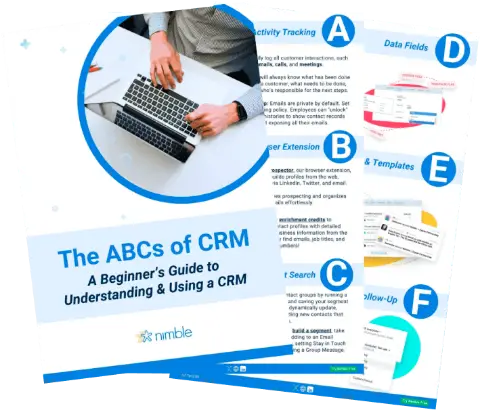
Free Guide
The ABCs of CRM
A Beginner's Guide to Understanding &
Using a CRM
Download Free
You’re All Set!
DownloadGet the most out of this guide by starting your free 14-day trial of Nimble today.
- Viewing all emails, contacts, and appointments in one place
- Syncing Outlook with your CRM, so notes don’t need to be copied over manually
- Converting CRM data into charts and reports
- Aligning tasks across CRM and Outlook so your schedule stays accurate
- Sorting, filtering, and adding rules to organize your view
- Creating CRM contacts, accounts, or leads directly in Microsoft 365
- Adding new connections to the CRM right from your inbox
- Using Outlook’s text-editing tools alongside CRM email templates and custom fields
- Tracking and navigating CRM tasks from within Outlook
Used together, Outlook and a mobile CRM app put nearly all the information you need at your fingertips — and if you’re missing something, you can call a colleague and ask them to add it to the shared database.
Five Reasons Your Team Needs a Mobile CRM
A mobile CRM only pays off when the whole team uses it, not just one person. Here are five reasons to roll it out across your team.
1. Increase Productivity
Mobile CRM apps let your team schedule appointments, log notes, and pull up records without carrying a laptop everywhere. That saved time goes straight back into client conversations instead of admin work.
2. Increase Sales
When your team can answer a client’s question on the spot instead of “let me get back to you from my desk,” you close more deals. Nobody wants to wait half an hour for an answer that should take thirty seconds.
3. Shorten Your Sales Cycle
A CRM helps you build relationships faster by keeping communication consistent. Set follow-up reminders so no contact goes quiet by accident, and stay top of mind without extra manual tracking.
4. Additional Accessibility
When your team only has desktop access, details from a meeting or call are easy to forget by the time they’re back at a computer. A mobile CRM lets you capture what matters within minutes of the conversation, while it’s still fresh. See our guide to CRM data hygiene practices for how to keep those quick updates clean over time.
5. Flexibility Across Devices
A good mobile CRM works on whatever device your team is already carrying — phone, tablet, or both. The interface should feel just as usable on a five-inch screen as it does at a desk, with nothing lost in translation.
The Bottom Line
Mobile CRM tools exist to remove the gap between a conversation and the record of it. All it takes is logging client details from your phone the moment you’re done talking, and your team starts working smarter everywhere they go. If Outlook is your email system, syncing your CRM app with your inbox and other Microsoft apps closes that loop even further.
Once your team tries working this way, going back to desktop-only feels like a step backward.
Give your team the CRM that goes wherever they do. Nimble’s mobile app keeps contacts, notes, and follow-ups in sync across every device.
Frequently Asked Questions
A mobile CRM brings the same customer relationship management experience from your desktop to your smartphone or tablet, so you can access contact records, notes, and follow-up reminders from any device with internet access.
Yes. A CRM that integrates with Outlook lets you view emails, contacts, and appointments in one place, sync notes automatically, and create CRM records directly from your inbox without manual copying.
Mobile access lets reps log details and follow up immediately after a meeting or call, instead of waiting to get back to a desk. That speed shortens sales cycles and reduces the chance of losing details from the conversation.
Yes, a good mobile CRM adapts to whichever device your team is carrying, with the same functionality and usability whether you’re on a phone or a tablet.