

Last updated:
Most small business owners know they should follow up more. They have every intention of following up more. And then a proposal goes out, a trade show ends, a new client signs — and the follow-up happens once, inconsistently, or not at all.
This isn’t a character flaw. It’s a capacity problem. When one person is running sales, delivering the work, and managing the business, consistent follow-up is one of the first things that slips. Not because it isn’t important. Because it requires a kind of repetitive, time-sensitive attention that humans are genuinely bad at maintaining alone.
Email sequences fix this. Not by replacing human relationships — but by making sure the right message reaches the right person at the right time, automatically, until they respond. This guide covers all five sequence types every small business should have, with blueprints and real email copy for each one. If you want the broader picture of how sequences fit into your email marketing for small business strategy — list building, segmentation, deliverability, and measurement — start with the complete guide first.
What an email sequence actually is
An email sequence is a pre-planned series of emails that sends automatically — based on either a time schedule or a recipient’s behavior. You write the emails once. You set the timing and the rules. The sequence runs on its own while you focus on everything else.
The key word is conditional. A good sequence doesn’t just fire emails on a timer. It watches what the recipient does and adjusts. If someone replies to Email 1, the sequence stops — they’re already in a conversation. If someone ignores all four emails, it closes the contact out gracefully and moves on.
This is what separates a sequence from a newsletter blast. A newsletter goes to everyone the same way. A sequence responds to what each individual person actually does.
Why sequences work — and why most follow-up without them doesn’t
A study published in the Harvard Business Review found that companies responding to web leads within an hour were nearly seven times more likely to have a meaningful conversation than those who waited even one hour longer. Most companies respond in an average of 47 hours. By then, the lead has usually moved on.
Speed is one part of it. Persistence is the other. Research consistently shows it takes between 5 and 8 follow-up attempts to reach a prospect. Most salespeople — especially in small teams — stop after two. Not because they don’t want to follow up. Tracking who needs follow-up, when, and with what message is genuinely difficult to do manually.
Sequences solve both problems at once. The first email fires automatically within seconds of a trigger. The follow-ups continue on a set schedule without anyone having to remember. And the whole thing stops the moment the person responds.
- New lead follow-up — triggered by web form submission
- LinkedIn prospecting follow-up — for new LinkedIn connections
- Post-event follow-up — for conference and networking contacts
- Client onboarding — for new clients who just signed
- Re-engagement — for cold contacts in your CRM
The five email sequences every small business should have
Each sequence below addresses a specific point where follow-up typically breaks down. Each one can be built once and run indefinitely.
New lead follow-up — triggered by web form submission
Someone fills out your contact form at 11 pm. Without a sequence, they wait until morning. With one, they get a reply in seconds — before your competitor does.
This is the highest-leverage sequence for most small businesses. The window where a follow-up lands well is under an hour. A web form trigger closes that window automatically.
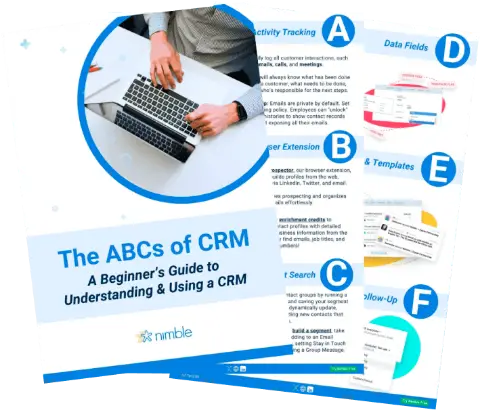
Free Guide
The ABCs of CRM
A Beginner's Guide to Understanding &
Using a CRM
Download Free
You’re All Set!
DownloadGet the most out of this guide by starting your free 14-day trial of Nimble today.
1 | Day 0 — Confirm and deliver Acknowledge receipt instantly. Deliver whatever they asked for. One paragraph. No pitch. |
2 | Day 2 — Something useful, no ask A tip, a resource, an insight. Nothing that requires a response. Just be useful. |
3 | Day 4 — Proof point or re-subject If they opened Email 2: send a specific customer result. If they didn’t: resend with a new subject line. |
4 | Day 8 — Low-pressure close “Wanted to make sure this didn’t get lost.” No urgency. Leave the door open. |
LinkedIn prospecting follow-up — for new connections
Most LinkedIn connections go nowhere. Not because the relationship wasn’t worth pursuing, but because there was no system to pursue it. A three-email sequence over ten days changes that.
The key is getting the email address first. Once a connection is in Nimble with an email, enroll them directly from the Prospector extension. The sequence handles the rest.
1 | Day 1 — Warm and specific Reference something real from their profile or a post they published. One observation. No pitch. No ask for a call. |
2 | Day 5 — Pure value, zero ask A relevant article, tip, or introduction. Nothing that requires a response. People remember who helped them before asking for anything. |
3 | Day 10 — Soft ask or permission close If they opened Email 2: ask for a 15-minute call. If they didn’t: “Should I keep reaching out?” Both answers are useful. |
Post-event follow-up — for conference and networking contacts
The average person meets 20–30 people at a conference and follows up with fewer than 5% of them. Not because the connections weren’t worth it, but because there was no system when they got back to the office.
The fix: scan business cards with Nimble’s mobile app at the event, tag everyone with the event name, and bulk-enroll the whole group into a sequence when you land. Thirty contacts in under two minutes.
1 | Within 24 hours — While the memory is fresh Reference the specific conversation you had. One sentence. No pitch. Send this from the airport if you have to. |
2 | Day 5 — Something useful, no ask A resource, an introduction, an insight relevant to what you discussed. Be remembered as useful, not as someone who collected a business card. |
3 | Day 15 — Soft ask or permission close A specific next step tied to your conversation. Or: “Should I keep reaching out?” — whichever fits based on whether they engaged with Email 2. |
Client onboarding — for new clients who have just signed
The work rarely fails in the first month. The communication does. A new client who doesn’t hear from you for ten days after signing starts to wonder if they made the right decision — even if everything is on track.
Five emails over 30 days. Enrolled manually when a new client signs. Each one has a specific job: remove uncertainty, prompt next steps, check in before things go sideways, share an unprompted insight, and ask for feedback at the 30-day mark.
1 | Day 1 — Welcome and what happens next Remove uncertainty immediately. What happens next, when they’ll hear from you, what you need from them. Warm but practical. |
2 | Day 3 — Next steps and materials needed What you need from them, by when. Framed as a reminder, not a chase. |
3 | Day 7 — First week check-in Ask how the process feels — not about deliverables. Be the consultant who asked before things went sideways. |
4 | Day 14 — An unprompted insight Something you noticed while working on their project. Not a status update — proof you’re thinking about their business between touchpoints. |
5 | Day 30 — 30-day review and feedback ask What’s working, what could be better, what comes next. The clients who feel heard at 30 days are the ones who renew and refer. |
Re-engagement — for cold contacts in your CRM
Every CRM fills up with contacts who were warm once and have gone cold. Not because they lost interest — because timing was off. A prospect who said “not right now” six months ago might be ready now. A former client whose project wrapped might be ready for the next one.
Run this sequence once a quarter. Filter contacts by last contacted date — anyone you haven’t spoken to in 90+ days. Enroll them as a batch. Three emails over 15 days. Let the replies tell you who to focus on.
1 | Day 1 — Low-pressure check-in No pitch. No urgency. A genuine check-in that acknowledges the gap. One short paragraph. Reference your last conversation if you have a note. |
2 | Day 8 — Something new or relevant A new service, a result for a similar client, something relevant to what they were working on. A reason to re-engage without directly asking for anything. |
3 | Day 15 — The permission close “Should I keep reaching out?” Makes saying no easy — and that makes saying yes easier too. Both answers are valuable data. |
What makes a sequence fail
Most sequence underperformance comes down to the same five mistakes. They’re all fixable.
- Email 1 tries to do too much. The first email has one job: get a reply or confirm delivery. The moment you add a pitch, a demo request, and three links, the whole thing reads like a marketing template and gets ignored. Write Email 1 like a text message from a real person.
- No exit conditions are set. If your sequence doesn’t stop when someone replies, you’ll send Email 3 to a person you’re already in a conversation with. Every sequence needs a global exit condition: stop when they reply. Always.
- All emails are asks. For every ask, there should be at least one give. Email 2 in every blueprint above is a pure value email with zero ask. That email is what makes Email 3’s ask land.
- Subject lines are generic. The subject line is the sequence. If nobody opens Email 1, nothing else matters. “Following up” is not a subject line. Use specific, curiosity-driven subject lines that reference something real about the recipient or their situation.
- Nobody looks at the results. Check your sequences quarterly. What’s the reply rate? If it’s below 15%, something in the first two emails needs work. Start with the subject line.
Real results: how Joinery Supplies reached 75% email engagement
Jonathan is the Sales Manager at Joinery Supplies, a business selling tools and materials to woodworking professionals. Before using email sequences, his team was following up with roughly 20% of their inbound leads — not because they didn’t care, but because lead data lived across spreadsheets, email inboxes, and manual lists. Leads fell through the gaps constantly.
After setting up a web form sequence in Nimble — where every new lead is automatically enrolled the moment they submit a form — the follow-up became consistent. Every lead got the same quality of outreach, regardless of how busy the week was. Within a month, their email engagement rate hit 75%.
The leads were always there. The system wasn’t. Read the full Joinery Supplies case study →
You’re here: Email Sequences for Small Business: The Complete Guide
- Your Web Form Leads Are Going Cold. Here’s How to Fix It. — automated lead follow-up triggered by web form submission
- Most LinkedIn Connections Go Nowhere. This Sequence Changes That. — the LinkedIn follow-up email sequence
- The Post-Event Follow-Up Sequence
- Client Onboarding on Autopilot
- How to Win Back Cold Contacts