
If you’re a small business owner or consultant searching for a ZoomInfo alternative, you’re likely feeling the strain of rising software costs, confusing enterprise contracts, and a tech stack that feels like it was built for Fortune 500 companies—not you.
ZoomInfo is a powerful platform, but its pricing model and complexity reflect its target audience: large enterprises with deep pockets and dedicated operations teams. With annual contracts starting around $15,000, per-user fees nearing $1,500, and the need to integrate with a separate CRM, ZoomInfo often becomes more of a burden than a benefit for lean teams.
That’s why more SMBs are switching to Nimble—a unified, easy-to-use CRM platform that combines relationship management, contact enrichment, email outreach, and prospecting tools into one affordable solution. For under $30/month, Nimble helps small teams grow their network, nurture deals, and stay productive without needing a six-figure software budget.
In this comparison, we’ll break down exactly how Nimble stacks up against ZoomInfo, with a sharp focus on the issues that matter most to small teams: cost, complexity, and CRM integration. If you’ve outgrown spreadsheets but can’t justify ZoomInfo’s enterprise pricing, Nimble may be the ZoomInfo alternative you’ve been looking for.
Quick Comparison: Why SMBs Seek a ZoomInfo Alternative
For small businesses and consultants, the question isn’t whether ZoomInfo is powerful—it’s whether it’s practical. The platform is built for enterprise sales teams navigating complex buying committees, managing dozens of reps, and leveraging operations specialists to extract value from a massive database. Most SMBs don’t need that level of sophistication—and they certainly can’t afford to pay for features they’ll never use.
Here’s a high-level breakdown of how ZoomInfo and Nimble compare when it comes to what small teams actually care about:
| Feature / Criteria | Nimble – Built for SMBs | ZoomInfo – Built for Enterprise |
| Starting Price | $29.90/month per user (monthly billing) | Starts at ~$15,000/year (Professional Plan) |
| CRM Included | ✅ Yes – Fully integrated CRM | ❌ No – Requires separate CRM platform |
| Contact Enrichment | ✅ 1-click enrichment in CRM + browser-based Prospector tool | ✅ High-volume enrichment engine |
| Outbound Prospecting Tools | ✅ Included – Uses credits | ✅ Included – Uses credits; higher limits may require upgrading plans |
| Ease of Use | ✅ Intuitive and fast setup | ❌ Complex UI, long ramp-up time |
| Ideal For | Small teams, consultants, solo founders | Enterprise sales teams with large budgets |
| Contract Required | ❌ No – Monthly billing available | ✅ Yes – Annual commitment required |
| User Licensing Cost | Flat monthly fee per user | First 3 seats included; ~$1,500/year for each additional user |
If you’re seeking a ZoomInfo alternative that aligns with your team size, workflow, and budget, Nimble offers a purpose-built platform without the enterprise bloat.
Who Needs ZoomInfo (and Why They Switch)
ZoomInfo is built for high-volume, enterprise sales teams that need to map out entire buying committees, access deep org charts, and run aggressive outbound campaigns at scale. If you’re managing a large SDR team with a full tech stack—including Salesforce, sales engagement tools, and revenue operations support—ZoomInfo can be a powerful fit.
But this level of firepower comes at a price. The Professional Plan starts at $15,000/year, and even that doesn’t include unlimited users or full platform access. After the first three seats, additional users cost approximately $1,500 per year, and some feature sets—like intent data or advanced enrichment—may only be unlocked by upgrading to higher-tier plans.
For many small businesses, consultants, and solo founders, this creates a painful disconnect: you’re paying enterprise-level prices for functionality you’ll only partially use. And because ZoomInfo doesn’t include a built-in CRM, you’ll still need to pay for and manage a separate system to actually track deals, send follow-ups, or manage relationships.
That’s why even teams who start with ZoomInfo often begin searching for a simpler, more sustainable solution—one that aligns with their budget, priorities, and workflow. They don’t need another enterprise data engine. They need a ZoomInfo alternative that’s easier to use, costs less, and works out of the box.
Who Needs Nimble (The Affordable Solution)
Nimble is built for small teams, founders, and growing businesses that need to manage relationships, engage leads, and close deals—without stitching together five different tools or committing to a massive annual contract.
While ZoomInfo is just a data source that requires pairing with a separate CRM and outreach platform, Nimble gives you everything in one place. It combines contact management, enrichment, email outreach, prospecting, and deal tracking in a single, easy-to-use platform—designed to help lean teams stay productive and move fast.
At just $29.90/month per user, Nimble offers transparent, flat-rate pricing. No surprise fees. No forced upgrades. No hidden costs buried in contracts. You can pay monthly, scale at your own pace, and access the full core feature set from day one.
Nimble is a fit for:
- Small business owners looking for a simple, unified tool to manage contacts, email follow-ups, and pipeline tracking.
- Lean sales and marketing teams that want to collaborate in one system with shared context, communication history, and real-time insights.
- Growing teams on a budget who want enterprise-grade functionality without the enterprise price tag or complexity.
If you’re looking for a ZoomInfo alternative that brings everything together—CRM, enrichment, and outreach—in one affordable platform, Nimble is built to meet you where you are.
Solving ZoomInfo’s Biggest SMB Pain Points
Many small business teams start evaluating ZoomInfo because they’ve heard it’s the gold standard for B2B contact data. And while that may be true for enterprise sales organizations with large budgets and technical support, the reality for smaller teams is often frustration, sticker shock, and tool overload.
Let’s take a closer look at the three biggest reasons SMBs begin searching for a ZoomInfo alternative: high annual contracts, hidden pricing, and the lack of a built-in CRM.

Free Guide
The ABCs of CRM
A Beginner's Guide to Understanding &
Using a CRM
Download Free
You’re All Set!
DownloadGet the most out of this guide by starting your free 14-day trial of Nimble today.
Pricing & Hidden Costs (The Budget Test)
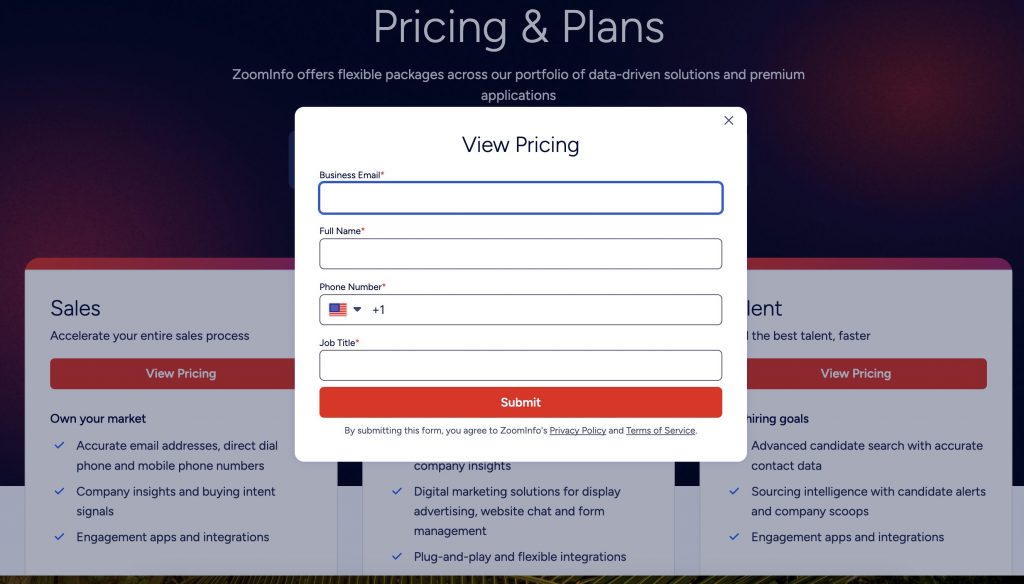
One of the most common deal-breakers for small teams exploring ZoomInfo is cost. The starting price for ZoomInfo’s Professional Plan is around $15,000 per year. While it includes three user seats, each additional user costs about $1,500 annually, and unlocking features like advanced filtering, intent data, or higher export limits may require moving to a significantly more expensive plan.
Even modest teams can quickly find themselves locked into a five- or six-figure contract, with little flexibility to scale. ZoomInfo also doesn’t offer monthly billing, and trials are usually gated behind sales calls.
Nimble takes a very different approach. Pricing is simple and transparent at $29.90 per user, per month, with no annual contract required. You get access to a complete CRM that includes contact enrichment, prospecting tools, email tracking, and outreach features—all in one plan.
If your team needs more enrichment credits or wants to send bulk email campaigns, Nimble offers clearly priced, optional upgrades. There’s no need to change plans or negotiate with sales. You can add exactly what you need, when you need it, and keep your software spend aligned with your budget.Where ZoomInfo often forces teams into higher tiers just to access specific capabilities, Nimble gives small businesses control, flexibility, and full cost visibility from day one.
Fragmentation vs. Unification (CRM Focus) for a Zoominfo Alternative
Another major pain point for SMBs using ZoomInfo is the lack of a CRM. Despite its steep price, starting at $15,000 per year for a single tool, ZoomInfo doesn’t offer a centralized workspace to manage your relationships, track deals, or store communication history. It’s purely a data provider. Everything else still has to be stitched together.
That means small teams are forced to pair ZoomInfo with an external CRM, plus additional tools for outreach, enrichment, and automation. Not only does this drive up software spend, it also introduces complexity, duplication, and disconnected workflows.
Data ends up scattered across platforms, making it harder to keep track of conversations or move leads through the pipeline. For teams without dedicated operations support, that fragmentation becomes a serious bottleneck.
Nimble eliminates that friction by combining CRM, enrichment, outreach, and prospecting in one simple, affordable platform. You can manage contacts, send follow-ups, track deals, and enrich new leads—all in a single workspace, without switching tools or paying for expensive integrations.
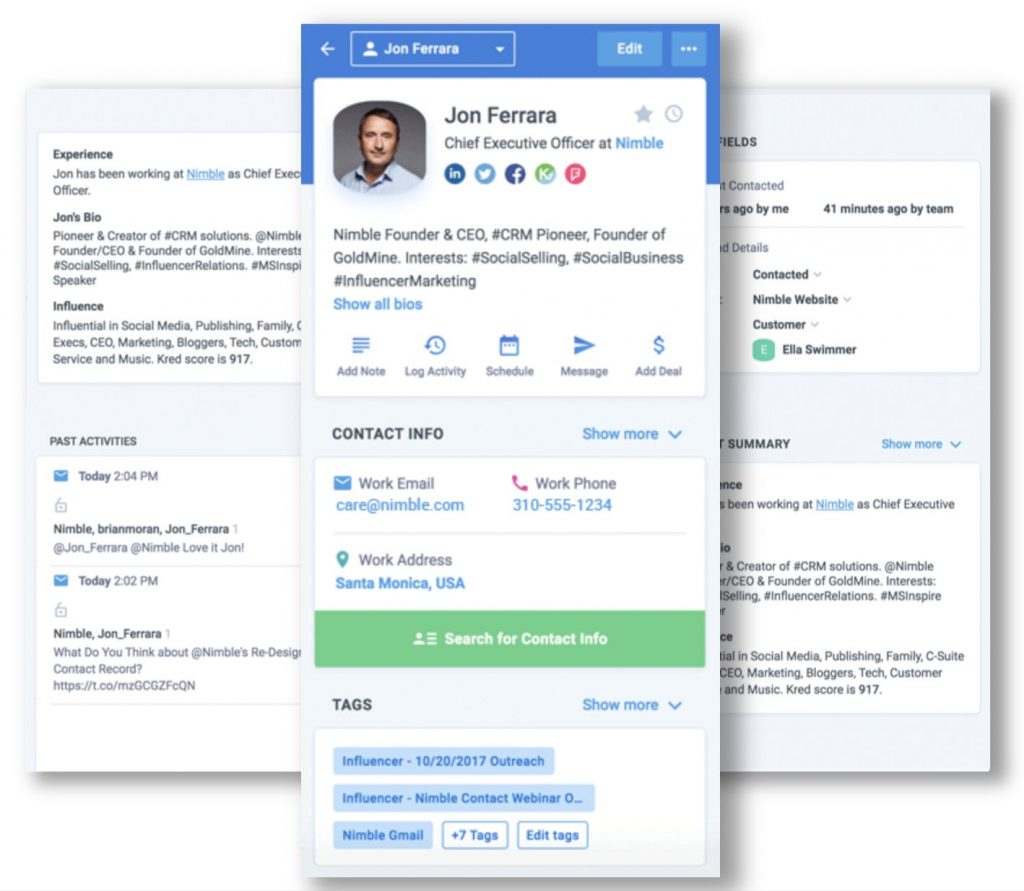
Everything in Nimble is designed to work together. Contact profiles are enriched in real time and automatically linked to your email history, tasks, and deal activities. You can pull up a full relationship record in seconds, send a tracked email, or add a note or follow-up task, all from the same screen.
This level of unification not only saves time, it helps teams stay consistent, organized, and focused on closing business instead of managing software. For any small team looking for a ZoomInfo alternative that actually includes the CRM and tools you need to follow through, Nimble delivers exactly that—without the enterprise complexity.
Data & Experience: The Nimble Advantage for Lean Teams
Access to data is only part of the equation—what matters is how effectively your team can turn that data into action. That’s where many small businesses run into friction with ZoomInfo. Its advanced features and massive database may appeal to enterprise teams, but they often come at the expense of usability and speed for smaller organizations.
Nimble keeps the experience grounded in what lean teams actually need—context, clarity, and the ability to act without delay. Whether you’re researching a lead, preparing for a follow-up, or qualifying a prospect, Nimble puts real-time data exactly where you’re already working: in your CRM, inbox, browser, or social feed. There’s no need to export lists, jump between platforms, or decode a complex UI just to get a clear view of who you’re engaging.
Contact Enrichment & Prospecting Data for a Zoominfo Alternative
ZoomInfo is known for the scale of its B2B database—but it’s a high-powered engine designed for enterprise teams. Its advanced filters and segmentation tools can be powerful, but they often come with a steep learning curve, usage limits, and upgrade prompts. Many SMBs find themselves paying for more data than they’ll ever use, without the context or clarity to act on it.
Nimble delivers real-time, relevant enrichment and prospecting directly within your workspace. With one click, you can enrich a contact profile with company info, social links, job titles, and engagement history—without leaving the CRM. And with Nimble’s browser-based Prospector tool, you can discover and qualify leads from anywhere on the web, including LinkedIn, company websites, and search results.
For teams who rely on lean outreach and need timely, actionable insights, Nimble makes data accessible and actionable in the exact moments you need it. And looking ahead, Nimble will be releasing a major update in early 2026 to elevate its enrichment and prospecting capabilities even further, giving users more ways to qualify leads and work smarter—without the complexity.
Ease of Use and Time-to-Value
ZoomInfo is built for enterprise workflows, which often means long onboarding cycles, complex configurations, and a UI packed with features that smaller teams don’t need. Advanced filtering logic, segmentation layers, credit systems, and usage caps make the platform difficult to navigate without dedicated training—or a RevOps team to manage it.
Even basic tasks like finding a lead, exporting data, or syncing records to your CRM can feel overly complicated. For small businesses, that’s not just frustrating—it’s a barrier to productivity.
Nimble is built to be usable from day one. You can sign up, import your contacts, and start using enrichment, tracking, and outreach features in under an hour. The layout is intuitive, the tools are streamlined, and every feature is connected directly to the relationship data you’re managing.
There’s no complicated setup, no training required, and no steep learning curve—just a clean, connected workspace that helps you take action faster. That’s what makes Nimble a true asset for lean teams: less time learning software, more time building relationships and moving deals forward.
Final Verdict: Why Nimble is the Better Long-Term ZoomInfo Alternative
For small businesses and lean teams, ZoomInfo often delivers the exact opposite of what you need. It’s expensive from the start, locking you into a $15,000+ annual contract. Every additional user adds to the cost, and despite the price, you’re left without a built-in CRM to manage your relationships or deals.
Nimble takes a completely different approach. It gives you everything in one place—contact enrichment, outreach, tracking, and relationship management—without the inflated costs or complicated setup. It’s affordable, intuitive, and ready to use from day one.
There’s no sales negotiation. No multi-tier pricing to decode. Just a clean, unified platform that helps you move faster and work smarter.
If you’re serious about finding a ZoomInfo alternative that’s actually built for your business, Nimble delivers what enterprise tools can’t: simplicity, flexibility, and a price that makes sense.
Start your free trial or book a personalized demo today and see how easy it is to switch.
👩💼 About the Author: Jenna Dreikorn
Jenna Dreikorn
Product Marketer | B2B Strategy | Simplifying Sales Technology for Small Teams
Jenna Dreikorn is a Product Marketer at Nimble, focused on helping small businesses adopt simpler, smarter tools to manage outreach and relationships. She works across product, positioning, and content to support teams looking to streamline their workflows and reduce tool overload.
Her content reflects real-world sales needs and emphasizes clarity over complexity—giving SMBs the guidance they need to grow without relying on bloated tech stacks.
Jenna’s Core Focus Areas:
- Workflow Clarity: Making CRM, outreach, and prospecting tools easier to use and adopt
- Positioning Strategy: Communicating what matters most to small, resource-conscious teams
- Expert Topics: CRM platforms, B2B sales tools, and small business growth strategies
You can follow her professional insights and connect on LinkedIn: Jenna Dreikorn
Yes, for small businesses and consultants, Nimble is a powerful and affordable ZoomInfo alternative. While ZoomInfo’s annual contracts can exceed $15,000, Nimble offers a unified platform for under $30 per month per user, providing essential prospecting and contact enrichment without the enterprise price tag.
Unlike ZoomInfo, which is primarily a data provider that requires a separate CRM, Nimble is a unified CRM platform. It combines contact management, pipeline tracking, and email marketing with high-level data enrichment in one workspace, eliminating the need to pay for and manage multiple standalone tools.
While ZoomInfo offers a high-volume enterprise engine, Nimble provides targeted real-time enrichment specifically for small teams. With a single click or through the browser-based Prospector tool, users can instantly discover social profiles, business data, and verified contact info directly within their workflow.
Nimble is designed with a shallow learning curve for lean teams, earning high marks for ease of setup and usability. ZoomInfo often requires long onboarding cycles and complex configurations, whereas Nimble users can typically import contacts and begin using enrichment and outreach tools in under an hour.
The most common frustrations for small businesses using ZoomInfo include high annual contract requirements, hidden upgrade costs for advanced features, and the lack of integrated tools.