

You already know who you need to reach. The founders you met at last spring’s conference. The past clients in Chicago you haven’t talked to in a year. The donors who went to the same school as your new board chair.
They’re already in your CRM. The hard part is getting them onto one list. That usually means picking fields, stacking filters, choosing ALL or ANY, and hoping the logic is right. Most people give up and scroll.
Nimble AI Search fixes that. You describe the people you want, the way you’d say it to a colleague, and Nimble builds the list for you.
New: AI Search is now live in every Nimble account, at no extra cost.
What is Nimble AI Search?
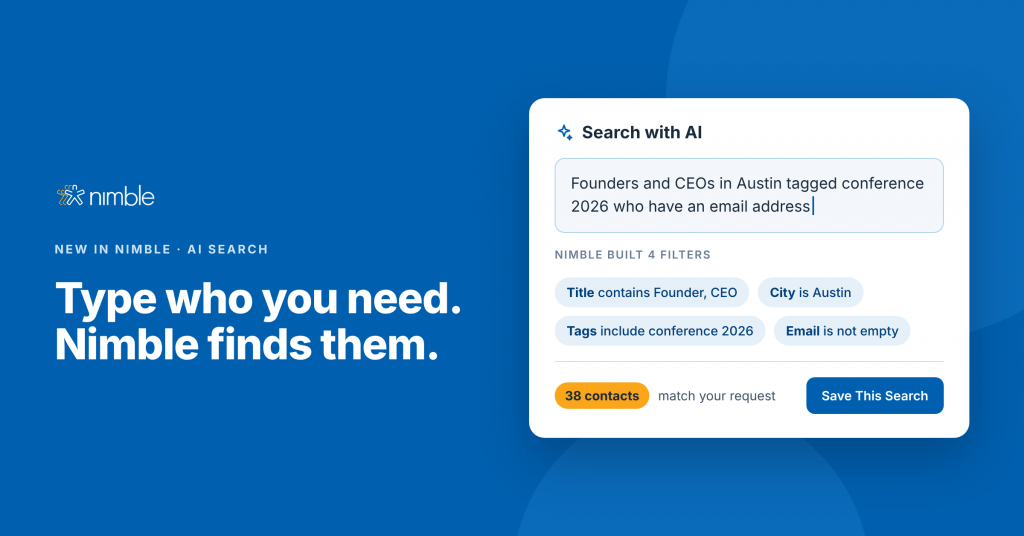
AI Search is a faster way to build a contact segment in Nimble. Instead of adding filters one at a time, you click Search with AI and type who you’re looking for. Nimble turns that sentence into the right filters, shows you every contact who matches, and lets you save the list for your whole team.
From one sentence to a saved list
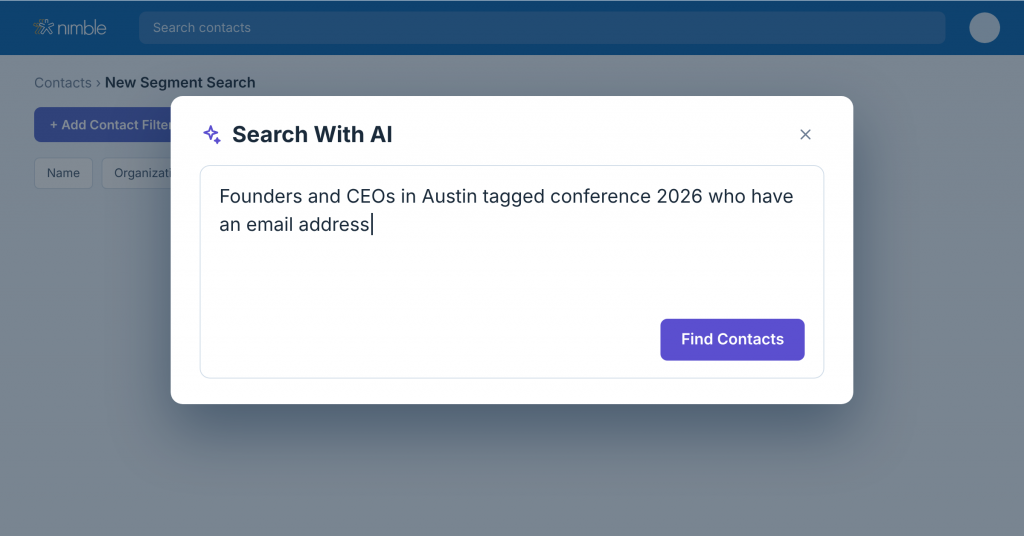
Say you want to follow up with people you met at a conference. You type:
“Founders and CEOs in Austin tagged conference 2026 who have an email address.”
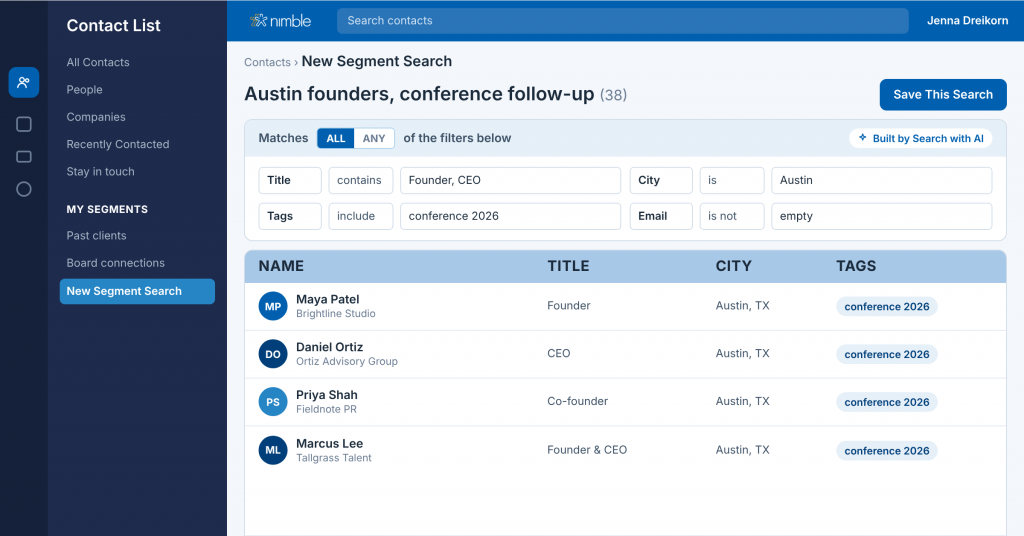
Nimble builds four filters:
| Field | Condition | Value |
| Title | contains | Founder or CEO |
| City | is | Austin |
| Tags | includes | conference 2026 |
| is not | empty |
Contacts must match all four. You check the results, name the list “Austin founders, conference follow-up,” and click Save This Search.
Free Guide
The ABCs of CRM
A Beginner's Guide to Understanding &
Using a CRM
Download Free
You’re All Set!
DownloadGet the most out of this guide by starting your free 14-day trial of Nimble today.
That’s it. And because it’s a saved segment, the list keeps itself current. The founder you meet next week, or the contact whose title changes to CEO, joins the list automatically.
Why it matters: less time finding, more time following up
A relationship you can’t find is one you can’t follow up on. When building a list takes twenty minutes of clicking, the check-in gets pushed to next week. The event invite goes to the wrong people. The warm intro goes cold.
AI Search takes that work off your plate:
- You describe people, not a query. No field names, no and/or logic. Say who you want the way you’d say it out loud.
- You can see exactly what Nimble built. Every filter lands in the regular segment builder. Change a city, drop a tag, add a title. Nothing is hidden.
- Your list stays current. Save it once, and new or updated contacts who match are added on their own. Your list grows with your network.
- You can act on it right away. Tag the whole list, set Stay in Touch reminders, send a group message, or add people to an email sequence. Share the segment so your team works from the same list.
Who uses AI Search
Anyone whose work depends on knowing who to reach next. You don’t need an ops person or a spreadsheet export.
- Founders pulling a quick list before an event, a launch, or a fundraise
- Consultants and advisors finding past clients by industry, title, or city
- Recruiters narrowing candidates by title, school, and location
- PR, marketing, and creative agencies building media and client lists in seconds
- Financial advisors grouping clients for timely check-ins
- Nonprofit teams finding donors, volunteers, and board connections
Prompts to try
Copy one of these and swap in your own titles, tags, and cities:
- “People in Chicago whose title includes recruiter”
- “Contacts tagged past client who went to Stanford”
- “Founders in Boston where phone is not empty”
- “Everyone tagged investor or advisor in New York”
- “Contacts at Acme Corp whose title includes marketing”
Want better results on the first try? Read AI Search best practices and tips.
How to get started
- Open a segment search. Go to Contacts and click Segment Search, or + Add Segment under My Segments.
- Describe who you’re looking for. Click Search with AI, type your request, and click Find Contacts.
- Review and save. Adjust any filter Nimble built, then click Save This Search.
For the full walkthrough with screenshots, see How to find contacts using Nimble AI Search.
What it costs
Nothing extra. AI Search is included in Nimble with no add-on and no per-search credits.
Not using Nimble yet? Start a free 14-day trial and try AI Search on your own contacts.
Frequently asked questions
AI Search lets you find contacts by describing them in plain language instead of building filters by hand. In Nimble, it turns your sentence into segment filters you can review, edit, and save.
No. There’s no add-on and no per-search credit.
Yes. Every filter appears in the regular segment builder, where you can change, remove, or add conditions before you save.
Yes. Saved segments are dynamic. Any new or updated contact that matches your filters joins the list on its own.
Tag contacts, set Stay in Touch reminders, send group messages, add people to email sequences, and share the segment with your team.
AI Search filters on the data in your contact records. If a contact’s city, title, or tags are blank or out of date, they won’t match. Update the record, and they’ll appear.